Showing posts with label review. Show all posts

Monday, March 14, 2016


It was the company’s answer to the iPad — but not exactly, since the closest thing it had to a killer feature was the a flip-out kickstand and optional keyboard covers which let you use it like a laptop.
And it was also a PC — but not quite, since the only conventional Windows software it ran was Microsoft Office and a few other preinstalled apps.
It was, in short, hard to pin down.
One year later, the sequel – Surface 2 — is here. Microsoft is calling it “the most productive tablet on the planet,” which downplays direct competition with the iPad in favor of carving off a new niche. But even though the niche makes sense for Surface to tackle, this device doesn’t go all the way toward fulfilling it.
What’s most interesting about Surface 2 is pretty much what was interesting about Surface RT, which is quite a lot: the kickstand, the keyboard covers, the full copy of Microsoft Office which comes preinstalled. It has a USB port and a MicroSD slot, providing opportunities for expansion and customization — such as the addition of a mouse and extra storage — which the iPad has famously written out of the picture.
Above all, what’s significant about the new Surface remains the fact that it runs Windows RT. The operating system has the same touch-friendly, stylish Metro interface as Windows 8, and runs new-style apps from Microsoft’s Windows Store. It has almost nothing in common with any previous version of Windows — it can’t even run the third-party applications which they can — and is also distinctly different from the iPad and Android tablets. Whether you find it bold or befuddling, it’s not more of the same.
As it did last year, Microsoft islaunching two variants on this concept. Surface 2 is available in a 32GB model for $449 and a 64GB one for $459 (neither price includes a keyboard cover). It’s arriving alongside Surface Pro 2, a largely similar — albeit thicker and heavier — device which includes Windows 8.1 and comes with a nifty pressure-sensitive pen for note-taking and doodling. Surface Pro 2 starts at $899, twice the price of the most basic Surface 2. But it also runs classic Windows apps, from your favorite games to full-strength Photoshop, making it a plausible primary PC for more folks. (My colleague Jared Newman bought one and tells me he’s pretty pleased with it overall.)
The original Surface RT remains on the market, too. It’s now simply known as Surface, and is a $349 budget special.
Most of Surface 2′s hardware changes compared to that first Surface are minor — sometimes exceedingly so. The case is still made of magnesium, and still looks classy and feels solid, but now it’s a light gray rather than the darker shade of the original model. Microsoft touts Surface 2 as being “leaner” than its predecessor, but at 0.35 of an inch thick and 1.49 pounds, it’s only slightly over 0.02 of an inch thinner and less than one-fifth of an ounce lighter. That reduction in bulk feels like a rounding error, especially in comparison to Apple‘s newly downsized iPad Air.
Other upgrades are more meaningful: The new Surface sports a faster processor than the Surface RT and a pleasing new 10.6-inch display with the same resolution as the Surface Pro 2: 1920-by-1080 pixels. The kickstand now pops out to two different angles: 22 degrees (like the original) or 55 degrees (designed, Microsoft says, to work better if you’re balancing this newfangled laptop in your lap). The front- and back-facing cameras offer higher resolution and better performance in murky lighting; the USB port supports USB 3.0, the zippy current version. Estimated battery life is now 10 hours, up from eight for the first Surface; in my informal tests, it at least came close.
The Surface 2 which Microsoft provided to me for review was equipped with the second-generation version of its $130 Type Cover. It’s one millimeter thinner than the first version, sports backlit keys and permits quieter typing. Like all Surface covers, it snaps on and off in a jiff via a magnetic connector on the tablet’s edge and doesn’t require its own battery or any setup. It’s not perfect — the touchpad is still too dinky and tough to manuever — but overall, it’s the best tablet keyboard I’ve ever used.
I didn’t try the $120 Touch Cover 2, which sacrifices discrete keys for a flatter, thinner, one-piece keyboard; it’s also added backlighting and uses 1,092 sensors rather than the original’s 80 sensors to provide better typing accuracy. Early next year, Microsoft also plans to ship a $200 Power Cover, which is exactly what it sounds like: A keyboard cover with a built-in battery which can provide extra juice to extend the Surface’s run time.
So that’s the Surface 2 hardware: refined, but not redefined.
The tablet’s operating system is Windows RT 8.1 — that is, Windows RT with Windows 8.1′s improvements — and that’s a reasonably big deal in itself, as long as you find the basic idea of the new interface intriguing rather than off-putting. (The update is also now available on the original Surface.) Not only can you run two apps on screen at once — an option which the iPad, of course, doesn’t offer — but you can adjust their size. SkyDrive, Microsoft’s online storage service, is more seamlessly built into the OS, permitting you to store more of your files in the cloud without giving it much thought. The new-style Start screen now lets you organize your apps with more flexibility, and the search feature finds stuff across your device, the Web and elsewhere.
Microsoft also throws in a few new freebies with the Surface 2 which are actually worth something. It comes with a roomy 200GB of storage of SkyDrive online storage — available on all your gizmos, not just the tablet — for two years. For the first year, you can also use Skype to make unlimited calls to landlines, and get gratis connections to two million Wi-Fi hotspots around the world.
The bundled version of Office which comes with Surface has one big change which will matter a lot to some worker bees — it now comes with Outlook, the Microsoft e-mail program which is standard equipment in many businesses. Outlook, Word, Excel and PowerPoint offer Office’s signature benefits: almost every feature you can imagine, and perfect compatibility with the files your coworkers create in other versions of Office. Nobody will ever accuse these apps of being underpowered, which isn’t true of most productivity software for other tablets.
But as with last year’s Surface, Office isn’t an unalloyed plus for Surface 2. All of these programs still use the old-school Windows interface, modestly updated to work with touch input. They sit on a vestigial version of the classic Windows desktop, and never quite feel entirely at home. For instance, they don’t deal well with being shrunk down to share screen real estate with other apps — sometimes information runs off the display or gets hidden by a scroll bar. And if you’re using the tablet with the on-screen keyboard and pop open an Office app’s Ribbon toolbar, the viewable portion of your document is reduced to a tiny sliver.
Basically, using Office on the Surface 2 leaves you craving a version of Office designed with the new interface in mind. Microsoft says that one is on its way, though it isn’t yet being specific about when it might show up.
Third-party apps do at least as much as anything preinstalled to determine what you can do with a device, and it’s de rigueur in reviews like this one to point out at least one major app which isn’t available in Microsoft’s Windows Store. (Here’s one: Candy Crush Saga.) Still, after a year of operation, the store shows signs of life. Among the 100,000-plus apps it offers for Surface 2 are nice official versions of Facebook, Twitter and eBay. Foursquare may be better than it is on any other platform, and Flipboard is on it way.
Yet when it comes to productivity — the subject which Microsoft has chosen to play up as Surface’s defining virtue — the pickings remain surprisingly slim. In categories where the iPad offers multiple solid options, such as blogging apps, you’re lucky if the Windows Store has anything at all. Programs such as Adobe’s Photoshop and Autodesk’s Sketchbook are available only in basic versions, not the much meatier editions available for the iPad and Android tablets.
It’s not that it’s impossible to build a good productivity application which will take full advantage of the Surface 2. Microsoft’s OneNote — one Office app which is already preinstalled in a Metro version — is just fine. I also like Back to the Drawing Board, a computer-assisted drafting program. Jared recommends a music app called FL Studio Groove. There are other examples, too, just not enough of them. (Sadly, TouchMail, an e-mall package which I got excited about in preview form back in April, remains a preview: It doesn’t let you access your own accounts.)
I’m still rooting for Microsoft to get Surface right, and I figure that it has at least another year before the platform faces anything like an existential crisis. The good news is that Surface doesn’t really need more pixels or additional kickstand angles or a beefier battery: If Microsoft ships a well-done Metro version of Office and convinces more developers to write top-notch productivity apps, Surface 2 will feel like a whole new computer, no hardware upgrades required. But without them, it’ll continue to feel incomplete.


Android Apk
Read More..

Friday, March 11, 2016

Super Pay Me - Get Paid For Completing Offers


Super Pay Me is a company that has been operating since June 2012, where members can earn money by completing various simple tasks, viewing other sites, surveys and completing other offers. So far, the site has been paying without delays and you can find many payment proofs on the site and on the internet. Currently, they have more than 63,000 registered members.
 

How to Earn Money with Super Pay Me


Signing up with Super Pay Me is free and no pre-requirements or membership fee is required. Super Pay me is open to all, including international countries.

There are various ways that you can use to earn money, such as, viewing of paid to click websites, watching videos, participating in various contests, completing online surveys, participating in trials and completing of many other available offers.
How to Get Paid by Super Pay Me

You can request for payment anytime you have reached INR 62.33 ($1.00.). All payments are processed and made within 24 hours. You get paid through any of the following payment processors and e-currencies; Paypal, Payza, Liberty Reserve and Moneybookers. You also get a chance to select whether you want to be paid as an Amazon gift card instead of cash.
Super Pay Me Referral System


Super Pay Me offers a good referral system where you earn up to 25% of all your referral earnings, including paid to click.
Pros  
  • Open to all, including international countries and no pre-requirement is needed.
  • Very low payment threshold of INR 62.33 ($1.00.).
  • Good referral system where you earn up to 25% of your referral earnings.
Cons
  • Most offers are for residents of USA, Canada, Australia, Spain and Italy. If you are from other countries, you may only get few offers.
  • Strict terms of use - your account may get banned for simple things like, using a different IP. Make sure you read their terms of use before you can start completing offers.
  • No forum where members can air their concerns.
  • You may be required to provide your personal identification documents for further verification before getting paid. 
Lastly, Super Pay Me offers a good opportunity for you to earn money by completing different small offers. However, some people have complained of their account getting marked as cheater" when they requested for payment or been asked to provide personal documents for identification purposes before getting paid. If you are thinking of joining Super Pay Me, make sure you read their terms of use to avoid getting yourself into problems or getting your account banned. 


Android Apk
Read More..

Sunday, April 12, 2015

Xiaomi Mi 4 User Interfaces Review

Xiaomi Mi 4 User Interfaces Review

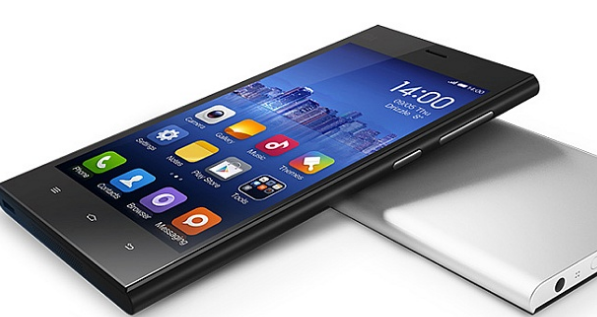
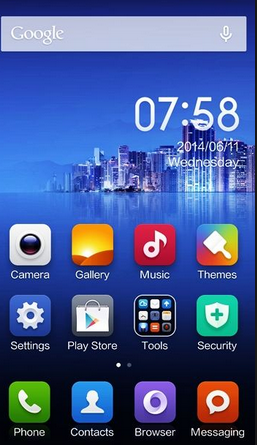
Xiaomi Mi 4 User Interfaces Review-Both Xiaomi Mi 3 and Mi 4 work Android 4. four KitKat with absolutely identical MIUI v5 launchers. The MIUI ROMs have been around for a long time and are fairly popular on the list of Android community. Xiaomis customizations run very serious, as far as eliminating the app bathroom drawer and placing just about all available apps for the homescreen.

Xiaomi Mi 4 User Interfaces Review


On top of that, Googles apps and services are changed by their Chinese equivalents (more likely if you get a Mi four, the Mi 3 has already been available with a new familiar software setup). No matter what, the Play Store isnt any big deal to set up, so youll get a phone in shape right away.

Xiaomi has already announced the newest MIUI v. 6. It brings a complete UI overhaul using flat looks, and updated system programs. It should become on the Xiaomi Mi lineup later this coming year. Here come each of our traditional UI walkthroughs to get you warmed way up.

As we said you can find no differences inside both phones with regard to software packages. The Google Services arent available on your Xiaomi Mi mobile phones that sell inside China but those may be installed. Xiaomi features a different policy about preinstalling the Google services to the different markets thus future regional versions will probably come with Google services preinstalled. Right now the Mi 4 should be only sold in China so there was to install people manually on each of our review unit.

This lockscreen looks incredibly familiar and we have now already seen identical in Huaweis Sentiment UI. There is structured circle with shortcuts inside the four cardinal guidelines: a simple unlock towards the south, start the camera to the North, messaging is always to the East and the dialer/call log is always to the West.

Beyond the lockscreen is the Android homescreen using four customizable shortcuts docked in the bottoom, but you can dock nearly five items. Youll have any app there and even folders with numerous items.

ere isnt any app drawer - everything else you install pops on your unlimited variety of homescreens. Therere no shortcuts and the usual routine associated with removing icons (dragging them up to and including recycle bin presents itself the screen) will uninstall the similar app. The thing is fool-proof therefore you cant accidentally uninstall essential apps like the gallery or mail client.

Homescreen widgets can be obtained, too - tap and wait the homescreen, and then choose Widgets. Obviously, you can get 3rd party widgets from your Play Store. Mind you, Xiaomis proprietary Lookup widget does much the same job as iOSs Focus system-wide search.

Homescreen effects can be obtained from the choices menu. You can modify themes, too. A theme will change ones homescreen wallpaper, lockscreen design, system icons, system font and the sound profile.

Xiaomi Mi 4 User Interfaces Review


The notification region has two tabs - the very first one holds just about all notifications, while the second reason is a 4x4 grid associated with toggles. You can add, remove and rearrange toggles. The Quick Configurations tab is one which opens by default unless you have unread notices. Nice touch even though we saw some people get confused through this fact.
Read More..

Monday, March 30, 2015

Xiaomi MI3 Review India

Xiaomi MI3 Review India

Xiaomi MI3 Review India-The Xiaomi Mi 3, essentially the most popular smartphones in China, is on its own heir, the Mi some. Two generations ready to clash: boxes opened up, benchmarks loaded, audio tracks on, cameras going, batteries charged.

Xiaomi MI3 Review India


The Xiaomi Mi some has more RAM as well as a third-gen Snapdragon 801 chipset, along with LTE connectivity - all of that in a slimmer, more compact cover. The upgraded specs opt for an entirely brand-new look with a small number of exchangeable rear covers from which to choose.

The Mi 3 however is powered through the previous version of that same chipset which is still a completely good package for your price. The big items missing are 4G info and 4K video tutorials - both easily rendered irrelevant if a) there is absolutely no LTE network your geographical area or b) you go for the 16GB version. With things such as Gorilla Glass 3 in addition to NFC surprisingly absent, is the Mi4 well worth the upgrade?

In a matter of hours well be reminded again on the difference between a definite phone and others. Six full editions thereof and several in-betweens - blessed and cursed, beloved and hated, shown admiration for and imitated. Manufactured in China, to ab muscles last one.

The reminder we start to use though is that the difference between China (as in "Cant pronounce the brand name") as well as the "Made in China" stamp within the back of a great iPhone isnt what it once was. A vast industry with soaring smart dataphone demand, the growth of 3G in addition to 4G networks, along with improved skill in addition to expertise, have seen many Chinese makers emerge on the pack with self-awareness in addition to confidence.

Xiaomi has a prominent spot upon that shortlist and plenty of reasons to be called "Apple on the East", both appropriate and wrong. Still one foot from the copycat phase, but several generations of flagships too that may compete with the most beneficial of them. Now, theyll compete against one another for a adjust.

So, Xiaomi has a couple of smartphone generations in less than a year, remarkably equipped and competitively listed. Theyre officially meant for the Asian Off-shore region, the domestic market possibly the main target, though the build quality and features for your price will find enough attention anywhere else.

Both devices are available as we speak at less than $400 for your Mi 3 and $500 for your Mi 4 - thats the price tag on the 64GB version. The upgrade comes in at a minor over $100 - more than a reasonable premium if youre able to make the best on the LTE and the actual 2160p video. That produces the Mi 3 the actual budget option though the obvious underdog has enough looking for it.

Xiaomi MI3 Review India


As regular, well try to look beyond the dried specs and put things in view. Our side-by-side equipment comparison follows following the break.

Read More..

Saturday, March 28, 2015

Review Of Samsung Galaxy Prime Design


Review Of Samsung Galaxy Prime Design - The particular Samsung Galaxy Fantastic Prime measures 144. 8 a 72. 1 a 8. 6mm - relatively slender but tall and wide for the 5" device. Having said that, its about the same size as some sort of Galaxy S5 and smaller than the popular HTC Desire 620 dual sim and also the Asus Zenfone 5 (both of which are direct competitors).

Review Of Samsung Galaxy Prime Design


In 156g, the Galaxy Grand Prime just isnt very light because of its screen size, though this seems to be the norm for phones on this footprint and price tag bracket.

We have got several Galaxy versions currently at mine, including the Samsung Universe Grand Prime. Lets just say that if they werent some other size, wed have some sort of hell of a difficult time trying to explain to which phone has been which. Its no announcement that Samsungs design team continues to be pushing for consistency over the ranks, but truthfully, things have gotten unmanageable.

To Samsungs credit, the phone seems very sturdy from the hand. The familiar silvery rim across the phone could complete for metal well away, though the the front and back material has been better. And theres plenty of it, the bezels across the screen are heavier than they has been.

Theres an internal black bezel across the display, which causes it to be look bigger while its off, but its plainly visible if your screen is in. The glass within the screen comes without any official claims involving extra durability, so you have to be more careful with it.

Above the screen is probably the key selling points of the Galaxy Grand Excellent, the 5MP selfie photographic camera. It matches the principle camera with 1080p recording and it has a wide-angle lens (85°) to help you to fit more people from the frame (technically some sort of groupie).

Also above the screen is a proximity sensor to show off the display automatically during cell phone calls, but theres zero ambient light sensor, which suggests no auto brightness mode.

Below would be the usual setup, a hardware Home key with the App switcher as well as Back buttons (both capacitive) in either side.

Around back, its more of the usual too. The camera protrudes a little bit (exposing it to scratches) and its flanked by the actual single-LED flash and also the loudspeaker grille. The camera itself is usually an 8MP unit competent at 1080p video catch (at 30fps).

The rear is removable, giving you access towards 2, 600mAh battery and also the card slots. The Samsung Universe Grand Prime which were using due to this review is some sort of single-SIM model, which fits both the microSIM and the actual microSD cards in a stacked slot. With regard to dual-SIM versions, theres an additional slot to the second microSIM to the left.

The sides follow the more common pattern as properly. The singular mic is within the bottom, near the actual microUSB 2. 0 interface, and theres some sort of 3. 5mm audio jack at the top. On the left would be the Power key, within the right the volume rocker.

In developing areas phablets have gained a lot of popularity since they will effectively replace small (and cheap) tablets. The Galaxy Fantastic Prime sits in between those and scaled-down devices (~4. 5" or possibly even longer, like the Universe Core Prime).

The Grand Excellent sits well from the hand - we might have wished pertaining to smaller bezels, but those usually contain a steeper price marking. The weight failed to bother us, it strikes a superb balance between a compelling feel without being too heavy.

The material within the back is not matte but not glossy either. It hides fingerprints sufficiently, even if it doesnt feel premium (weve seen some really good plastic in the actual midrange).
Read More..

Friday, March 27, 2015

Rumors Samsung Galaxy Note 4 Review Specification And Features


Rumors Samsung Galaxy Note 4 Review Specification And Features-Samsung offers unveiled the Universe Note 4: its fourth-generation smartphone using a stylus for acquiring notes and drawing. Heres everything you should know about the Take note 4 release night out, price and specs in britain. 

Rumors Samsung Galaxy Note 4 Review Specification And Features


The Note 4 looks similar to the Note 3, finding the same size 5. 7in tv screen, soft-textured back as well as metal band round the edge. However, there are plenty of changes and changes: keep reading to discover what they tend to be.

Samsung Galaxy Take note 4: Release night out
Rumors Samsung Galaxy Note 4 Review Specification And Features

The Note 4 is going on sale with October, so theres not long to wait. After we have a definite date for the british isles release, well update this story. Its going to be available in 4 colours: black, whitened, gold and pink.

Samsung Galaxy Take note 4: specifications

Display

The big news in terms of hardware is concerned is that the screen is at this point a Quad HD display, with a solution of 2560x1440 - which is a whopping 515ppi. It truly is covered in 2. 5D glass meaning it has a really slight curve. The Note 3 incorporates a flat screen with simply a full HD 1920x1080 solution. The 5. 7in diagonal means its not much larger than many phones nowadays, and smaller compared to LG G Bend

UV sensor

Yet another big feature, which Samsung did not really mention throughout the launch is that the Note 4 would be the first mobile device using a built-in UV sensor. Section of the S Health system, it will warn users as long as they are getting too much sun.

There certainly are a total of 5 UV index levels: Low, Moderate, High, Very Substantial and Extreme, and users will probably be presented with different precautions based on the level of the particular sun’s ultraviolet rays.

Fingerprint scanner

The fingerprint reader is improved within the Note 4. All fingerprint canning features within the Galaxy S5 : Screen Lock, Exclusive Mode, Samsung Account Confirmation and PayPal Installments - are arriving at the Note 5.

S-Pen

The S-Pen : or stylus : now has 2048 levels of pressure sensing, double that in the Note 3. A new S-Pen feature is smart Select which enables you to capture several items of information at once. For example, you could clip a number of hotels from TripAdvisor and some images from another source, then share that band of selections with a new contact by pulling and dropping into a contact.

The new Take Note feature may automatically straighten images taken with the camera, and and then convert any wording into editable backup.

Microphones

Not almost all notes are image, and the voice recorder may be improved in the particular Note 4 by making use of three microphones for you to record sounds from 8 distinct guidelines. The interview mode uses noise reductions to isolate the particular interviewee and produce the voice improved. Noise cancellation, when using the extra microphones, also improves phone calls, especially when utilizing speaker phone.

Video cameras:

Instead of talking about numbers, Samsung says it wishes to concentrate on ease of use and ‘quality images’ with the Note 4. Compared to that end, it incorporates a 3. 7Mp front-facing video camera (with a bright f1. 9 aperture) along with a 16Mp rear video camera with optical image stabilisation.

The bigger aperture makes the front camera 60 percent brighter compared to Note 3, in order that it should provide greater images in darker conditions. Its also possible to use the heart-rate sensor about the back as a new shutter button.

Another change about the front camera is which it has a greater viewing angle connected with 90 degrees (as in opposition to the 77 degrees of the Note 3) as well as there’s also a new panorama mode which boosts the angle to 120 college diplomas.

Battery life:

A whole new fast charging prices from zero for you to 50 percent in thirty minutes. It takes in relation to 55 minutes for you to charge the Take note 3 from vacant to half full. The Note 4 also has lower power ingestion, which gives a new 7. 5 percent increase in power supply life, despite finding the higher-resolution screen in support of marginally higher-capacity 3220mAh power supply (the Note 3 incorporates a 3200mAh cell.

Rumors Samsung Galaxy Note 4 Review Specification And Features


Storage devices and memory

The Note 5 has 32GB connected with internal storage along with a microSD card slot capable of accepting up for you to 64GB cards. Contradicing whispers of 4GB connected with RAM, theres truly 3GB.
Read More..

Wednesday, March 11, 2015

Info Ponsel Sony Xperia - Kali ini kita akan membahas tentang Review Smartphone Sony Xperia M dan M Dual. Secara khusus baik Xperia M dan Xperia dual memiliki berat, ukuran dan spesifikasi yang sama persis, namun Xperia M Dual memiliki fasilitas dua Simcard. Untuk lebih jelas mari kita lihat Review Smartphone Sony Xperia M dan M Dual secara lengkap berikut ini.

Layar dan Desain

Seperti Xperia yang biasa kita temui dipasaran, Xperia M kali ini juga memiliki bentuk kotak dan nampak kokoh. Desain candybar yang digunakan nampak terlihat elegan. Dimensinya berukuran 124 x 62 x 9,3 mm dan dengan berat tak lebih dari 115 gram saja. Ada 4 pilihan warna cantik yang bisa anda pilih yaitu kuning, putih, ungu dan hitam.

Xperia M juga memilik resolusi yang cukup baik yaitu 480 x 854 pixel dengan kepadatan mencapai 245 ppi, dimana sudah cukup enak untuk menonton video favorit anda. Layar yang berukuran 4 inci ini menggunakan teknologi TFT yang mampu memberikan kecerahan warna yang lebih baik ketimbang LCD biasa.

Kamera

Xperia M sendiri tidak memiliki kamera yang spesial, kamera utamanya hanya beresolusi 5MP namun sudah lebih baik dengan dilengkapi LED Flash dan autofocus. Hasil video yang dihasilkan lewat kamera 5MP miliknya cuup bagus, yaitu dengan resolusi HD 720p. Untuk mendukung aktifitas video calling, masih ada kamera depan dengan resolusi VGA.

Hardware

Xperia M dibekali Chipset yang mumpuni dari Qualcomm Snapdragon  S4 plus. Tak cukup disitu, Sony membekali Xperia M dengan prosesor berkekuatan dual core dengan kecepatan mencapai 1GHz. Sony memberikan GPU dari Adreno 305 untuk mengolah grafis Xperia M. Sedang untuk menangani program Multi tasking, Sony menyediakan RAM berkapasitas hingga 1GB. 

Untuk masalah penyimpanan, Xperia M memiliki memori berapasitas 4GB namun hanya tersissa 2GB yang bisa digunakan untuk tempat penyimpanan data. Jika masih kurang puas dengan penyimpanannya, masih ada slot memori eksternal yang bisa menambah tempat penyimpanan hingga 32GB.

Harga dan Review Smartphone Sony Xperia M dan M Dual Beserta Spesifikasi

Kesimpulan

Dari Review Smartphone Sony Xperia M dan M Dual yang telah kita jabarkan, maka kita bisa melihat bahwa Xperia M ini tidak memiliki sisi negatif yang menjatuhkan daya jualnya. Ada beberapa nilai positif yang bisa anda pertimbangkan untuk memilih Xperia M, yaitu prosesor dual core yang digunakan serta RAM 1Gb yang sudah cukup baik. selain itu koneksi 4G LTE bisa membantu kita dalam mengirimkan data dalam kecepatan tinggi. 

Xperia M memberikan kemudahan dalam mentrasfer data ke perangkat lain melalui koneksi NFC, sehingga file akan tertransfer dengan sendirinya dengan mendekatkan perangkat ini ke perangakt lain yang mendukung koneksi NFC juga. Xperia M hanya menggunakan OS v4.3 Jelly bean namun biasanya Sony menyediakan upgrade hingga v4.4 kitkat terbaru.

Harga yang ditawarkan untuk kedua ponsel pintar besutan Sony ini berbeda antar Xperia M dan Xperia M Dual, harga yang ditawarkan masing-masing adalah sebagai berikut.

Harga Sony Xperia M : Rp. 2.000.000 (Baru)
                                     Rp. 1.250.000 (Second)

Harga Sony Xperia M Dual : Rp. 2.075.000 (Baru)
                                             Rp. 1.500.000 (Second)

Untuk pecinta gadget yang ingin melihat harga Sony Xperia yang lain silahkan kunjungi Daftar Harga Lengkap Smartphone Sony Xperia Terbaru dan Terupdate.

Spesifikasi Lengkap Smartphone Sony Xperia M dan Xperia M Dual


GENERAL 2G Network GSM 850 / 900 / 1800 / 1900 - all versions
GSM 850 / 900 / 1800 / 1900 - SIM 1 & SIM 2 - C2004/C2005
3G Network HSDPA 900 / 2100 - C1905, C2005
HSDPA 850 / 1700 / 1900 / 2100 - C1904, C2004
SIM Optional Dual SIM (Micro-SIM)
Announced 2013, June
Status Available. Released 2013, August
BODY Dimensions 124 x 62 x 9.3 mm (4.88 x 2.44 x 0.37 in)
Weight 115 g (4.06 oz)
DISPLAY Type TFT capacitive touchscreen, 16M colors
Size 480 x 854 pixels, 4.0 inches (~245 ppi pixel density)
Multitouch Yes, up to 4 fingers
Protection Scratch-resistant glass
SOUND Alert types Vibration; MP3 ringtones
Loudspeaker Yes
3.5mm jack Yes
MEMORY Card slot microSD, up to 32 GB
Internal 4 GB, 1 GB RAM
DATA GPRS Up to 86 kbps
EDGE Up to 237 kbps
Speed HSDPA, 21 Mbps; HSUPA, 5.76 Mbps
WLAN Wi-Fi 802.11 a/b/g/n, dual-band, Wi-Fi Direct, DLNA, Wi-Fi hotspot
Bluetooth Yes, v4.0 with A2DP, ANT+
NFC Yes
USB Yes, microUSB v2.0, USB On-the-go
CAMERA Primary 5 MP, 2592 х 1944 pixels, autofocus, LED flash, check quality
Features Geo-tagging, touch focus, image stabilization, HDR, panorama
Video Yes, 720p@30fps, check quality
Secondary Yes, VGA
FEATURES OS Android OS, v4.1 (Jelly Bean)/ v4.2.2 - C2004/C2005 models, upgradable to v4.3 (Jelly Bean)
Chipset Qualcomm Snapdragon S4 Plus MSM8227
CPU Dual-core 1 GHz Krait
GPU Adreno 305
Sensors Accelerometer, proximity, compass
Messaging SMS (threaded view), MMS, Email, IM, Push Email
Browser HTML5
Radio Stereo FM radio with RDS
GPS Yes, with A-GPS support
Java Yes, via Java MIDP emulator
Colors Black, White, Purple, Yellow (single sim model only)
Others - SNS integration
- Active noise cancellation with dedicated mic
- MP4/H.263/H.264 player
- MP3/eAAC+/WAV player
- Document viewer
- Photo viewer/editor
- Voice memo/dial
- Predictive text input
BATTERY Li-Ion 1750 mAh battery
Stand-by Up to 552 h (2G) / Up to 454 h (3G)
Talk time Up to 10 h 18 min (2G) / Up to 9 h (3G)
Music play Up to 39 h 24 min
Read More..

Sunday, March 8, 2015

Spesifikasi Lengkap Smartfren Haier Maxx - Smartphone ini merupakan buah hasil kerjasama dari beberapa pihak yang melihat peluang pasar smartphone di Indonesia yang masih terbuka yaitu : Smartfren,  Haier dan PT. Duta Sarana Sukses (PT. DSS). Smartphone ini hadir dengan mengusung tema "inspired android" dengan harapan para pengguna nya dapat terus berkarya dengan Smartfren Haier Maxx ditangan mereka. Pada kesempatan kali ini mari kita lihat spesifikasi lengkap dari ponsel pintar ini. Kita coba lihat kelebihan dan kekurangan dari smartphone android ini.


Kamera dan Kinerja


Salah satu ciri smartphone yang muncul di Indonesia saat ini adalah dukungannya untuk jaringan berbasis CDMA dan GSM. Termasuk Smartfren Haier Maxx ini, dengan dukungan dua tipe jaringan ini pengguna memiliki kebebasan untuk menentukan jaringan yang akan mereka pilih. Ponsel pintar ini memiliki kamera yang bagus dengan spesikasi yang tinggi yaitu 8MP di bagian belakang dan 2 MP di bagian depan. Selain itu juga dilengkapi dengan LED Flash untuk  membantu pencahayaan saat anda mengambil foto di tempat yang kurang cahaya.    

Untuk urusan performa jangan diragukan, Smartphone ini telah menggunakan sistem operasi android terbaru Android Jelly Bean 4.1.2 yang memiliki dapur pacu berupa prosesor Qualcomm Snapdragon 8625Q 1.2GHZ Quad core. Dengan processor ini anda akan mendapatkan kinerja yang sangat mumpuni. Disamping itu tambahan 1GB RAM membuat kinerja Smartfren Haier Maxx semakin mantap. Anda dapat menjalankan applikasi berbasis multitasking dengan sangat lancar. Untuk memenuhi keinginan anda menginstal applikasi maupun game yang banyak smartphone ini telah dilengkapi dengan Internal Memori yang cukup besar yaitu sebesar 4 GB bila kurang anda dapat menambahkan eksternal memori hingga 32 GB.

Design dan konektifitas


Faktor design juga menjadi hal yang penting bagi Smartfren Haier Maxx. Smartphone ini memiliki tipikal design simple yang juga dianut oleh produsen smartphone besar seperti Samsung dan Iphone. Design nya terlihat minimalis namun tetap trendi dan elegan. Dimensinya yang pas yaitu 143.5*73*9.1mm membuat smartphone ini sangat nyaman digunakan untuk anda yang mobile. Smartphone ini memiliki layar yang lebar yaitu 5” dengan teknologi Full HD 720p selain itu juga digunakan teknologi OGS(One Glass Solution ) untuk memperbaiki kualitas gambar agar  lebih jernih dan jelas dari semua sisi.

Untuk konektifitas anda tidak perlu khawatir karena semua standard konektifitas dari samrtphone ada di ponsel pintar ini. Mulai dari Wifi, kemampuan portable hotspot/tethering, GPS, Bluetooth dan lain sebagainya. Jadi anda tidak perlu khawatir untuk urusan konektifitas saat anda memerlukan berinteraksi dengan Internet atau perangkat lain. Smartphone ini memeiliki baterai berkapasitas cukup besar yaitu 2200 mAH yang memastikan kenyamanan anda pada saat beraktifitas di luar.

Spesifikasi Lengkap dan Harga


  • Harga : Rp 2.1 Juta
  • Platform  Operating system : Android 4.1 (JELLY BEAN)
  •  Type : Double SIM(EVDO+GSM) 
  • Dimensions : 143.5739.1mm  
  • Weight with battery : 164g (TBC)
  • Sceeen Size/ Pixel     5.0"/ HD/IPS :1280×720 (720p)
  • Touch Lens : Yes(5 Points Multi touch )
  • Required Keys : Virtual key
  • Battery : 2200mAh
  • Internal Memory : 4GB EMMC+ 1GB DDR2
  • External Memory Connector     Micro SD, up to 32GB
  • Camera : 8.0MP AF with LED flash + 2MP
  • Multimedia MP3, AAC, AAC+, EAAC+, MPEG4, H.263, H.264 (BP, MP, HP), VP6, VP8, WMA, AMR-WB, Flash 10
  • GPS : Yes
  • AGPS : Yes
  • Wi-Fi     IEEE 802.11b/g/n, support WAPI in China
  • Bluetooth : Yes, V3.0
  • FM Radio : yes 87.5-108MHZ
  •  Processor  QuaLcomm 8625Q 1.2GHZ Quad core (Snapdragon)
  •  RF Specification
  • Mode : 
  • EVDO SIM Band (Cellular) : GSM: 850/900/1800/1900 MHz
  • EVDO: 800/1900MHz
  • Bearer  : 3G (EVDO)      
  • EVDO Rav.A     Yes
  • USIM support     Yes
  • Maximum Downlink Data Rate     3.1Mbps
  • Maximum Uplink Data Rate     1.8Mbps
  •  Display
  • Main display resolution : 5.0"/ HD/IPS :1280720 (720P)
  • Main display color space : TFT
  • Main display technology : IPS
  • Main display touch screen     Yes
  • Main display orientation : All orientation
  • Back-light Brightness : 400nits (Typ)
  •  Main Camera
  • Main camera built-in or accessory     Built-in
  • Pixel : 8.0M AF pixel
  • Camera technology : CMOS
  • Auto Focus : Yes
  • Zoom : TBC
  • Picture formats : JPEG
  • Video : Support video capture, audio record
  • Flash light : Yes
  •  Secondary Camera
  • Pixel : 2M
  • Camera technology : CMOS

Demikian penjabaran kami mengenai ponsel ini semoga dapat bermanfaat bagi anda. Silahkan tengok artikel tentang Membedah HTC Smartphone Terbaru.
Read More..